Install
Download, choose where it renders, connect your agent.
What You Need
- The app
- Windows 10 or 11. Mac and Linux run from source.
- Rendering in the cloud
- A FAL.AI or RunningHub key, or a Modal account. No graphics card needed.
- Rendering on your PC
- NVIDIA RTX 30 series or newer with 12 GB (16 GB is faster), 32 GB of RAM, driver 580 or later, about 40 GB of disk.
- A director
- Any coding agent, or the app's own controls.
- 01
Download and Run
Unzip anywhere and double-click run.bat. Then open 127.0.0.1:3000 in your browser.
- 02
Choose Where It Renders
Open Settings › Providers. FAL.AI needs only a key and is the quickest start. For your own card, Valryn installs a portable ComfyUI for you, or uses the one you have.
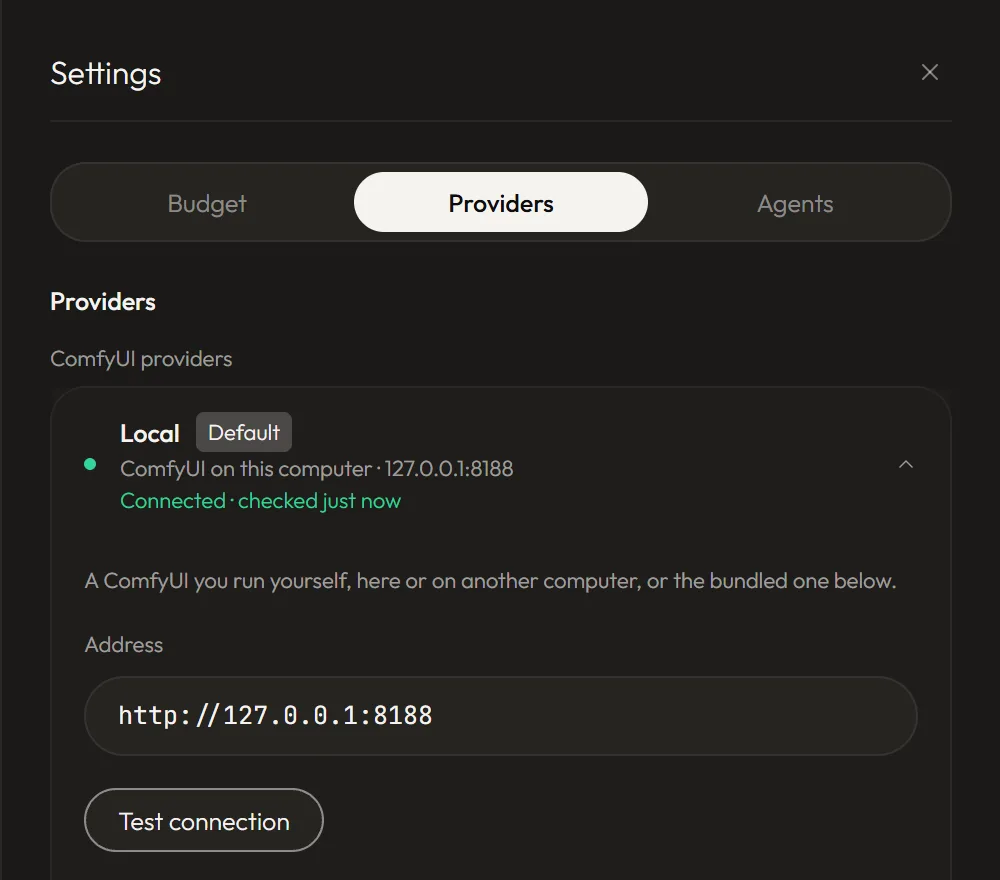
In the AppSettings › Providers - 03
Install the Models
For your own card only. One pack is required, about 40 GB; add others when you need them. Downloads resume and every file is checked.
- 04
Connect Your Agent
Make a folder for the film outside the install, open it in your agent and paste the prompt from Settings › Agents.
Then tell it the film: User Guide →
Update
Stop Valryn and unzip the new release over the old folder. Your projects and settings stay, and the database is backed up before it upgrades.
Back Up
Copy your project folders, and the data folder beside run.bat.
From Source
Node.js 22 or newer, and FFmpeg. On Windows, start.bat does both steps.
npm ci
npm run prodSomething not working? Troubleshooting →